Crash-Worthy Speedster: The Unheralded Ibm Os/2 2.0 Is as Versatile and Fast as Windows Pretends to Be
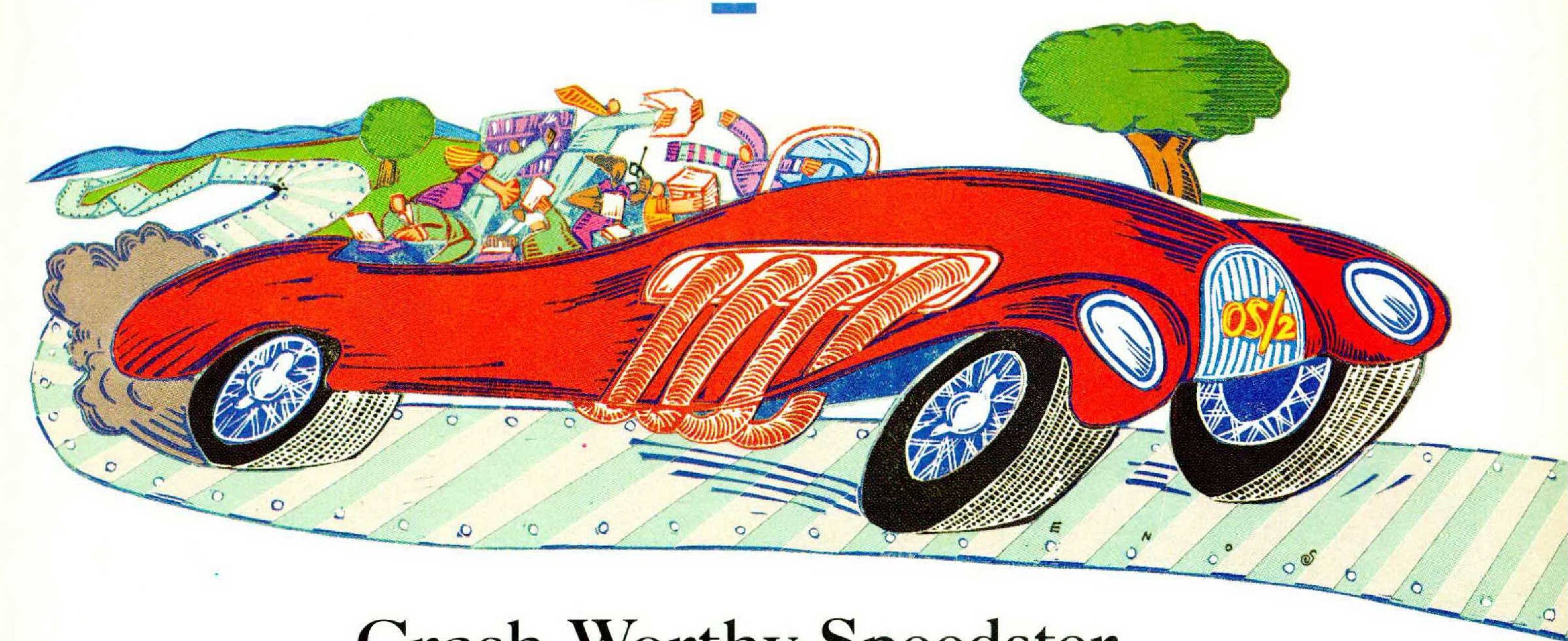
by James Fallows
THE FIRST IBM personal computer appeared twelve years ago. Until about five years ago, if you wanted to use any IBM-compatible personal computer you had to deal with the infamous “disk operating system,” or DOS. This software gave Bill Gates his first step toward tycoonhood, after he persuaded IBM that his fledgling company, Microsoft, should supply it for all IBM personal computers. Today there are some 100 million IBM-compatible personal computers (henceforth, PCs) in use around the world, and the great majority of them are running Microsoft’s DOS.
DOS had one obvious virtue: it provided a standard that got the industry going. It also has enormous drawbacks. Bill Gates is said to have found the A:> command system natural and inviting, but few other people do. Macintosh users can give their files long and informative names; DOS requires the likes of “CONTRACT.TXT.” DOS was designed at a time when computers were slow and random-access memory—the memory the computer uses to execute programs—cost a thousand times as much per byte as it does today. DOS therefore displays a Depression-baby mentality about conserving memory. It cannot deal with more than 640 kilobytes of random-access memory. The first IBM PCs came with only 16K of RAM, expandable all the way to 64K, so DOS’s 640K limit did not initially seem to be a constraint. But soon memory prices were falling, and the potential power of computers far outstripped what DOS could use. For programmers, a more troublesome barrier is the 64k limit on “segment size.” Under DOS, no section of a program or unit of data can take up more than 64K of memory. This may sound like a lot of room, but for complicated programs it isn’t, and DOS programming has turned into a form of haiku.
Also, DOS is relentlessly single-minded. It puts all of the computer’s resources—processor, screen, memory, disk drive, printer—at the disposal of whatever program is running at the time. This, too, seemed logical before anyone thought of having personal computers perform several tasks at once, but it has turned into yet another serious liability. By the mid-1980s the most popular processing chips were theoretically capable of letting PCs run many programs at once. DOS’s design was all that stood in the way.
In the mid-1980s alternatives to DOS began popping up. The Macintosh, from Apple, emerged as the main alternative to the PC stream. (Although the Macintosh itself is obviously a personal computer, the term “PC” has come to mean IBM and IBM-compatible machines, including those made by Compaq, Dell, AST, and other manufacturers. The personal-computer world is therefore divided into the Mac and PC realms.) The Macintosh presented itself as everything DOS was not: easy to learn, visually appealing, free of arcane instructions. The NeXT computer, created by Apple’s co-founder, Steven Jobs, is a more recent variation on the Macintosh approach. Each computer is more elegant and polished than its PC equivalent, but also tends to be more expensive per unit of computing power. Mainly because of the cost difference, PCs have remained more popular.
The hardware available for PCs improved at an amazing rate throughout the 1980s. Processing chips became much faster; memory became much cheaper. But these very improvements made DOS’s constraints more obvious and painful. It was as if some village in England or Germany that had based its road system on cow paths from the medieval days suddenly had to cope with an affluent population driving vans and sports cars.
Most software writers concluded that it was not possible simply to junk DOS, any more than it would be possible now to junk the English language because of its weird spellings. Too many popular applications, from Lotus 1-2-3 to WordPerfect, were written with DOS’s peculiarities in mind. So palliatives emerged.
One approach involved tweaking the computer system in a way that tricked DOS into forgetting its constraints. Starting in the mid-1980s, PC users became familiar with “extended memory,” “expanded memory,” “LOADHI” commands, “terminate and stay resident” programs, and other such devices. In one way or another they enable DOS to use more memory than it was intended to, and to handle several tasks at the same time. DESQview and similar programs allow a user to run more than one program at a time—for instance, printing from a word processor while also using a spreadsheet. “Task-switchers,” like Software Carousel and Back&Forth, do the same thing in a more limited way. To return to the medieval-village analogy, all this programming and tweaking is like shaving inches off car bodies, slightly widening streets, and eventually building a second deck above the existing roadway to handle more traffic.
The other main approach was Windows, the “graphic environment” introduced by Microsoft in the late 1980s. On the surface this looked like a step in the Macintosh direction. Programs are represented on the screen by little “icons,” or pictures, and you select commands with a mouse, just as Macintosh users do. But the resemblance is only cosmetic. Macintosh was conceived from the beginning as a graphically based system. If, for example, you slide a disk into a drive, the Macintosh will immediately create a disk-shaped icon on your screen. Windows can’t operate this way, because it is just a layer of graphics on top of the same old DOS. File names are still limited and memory is still constrained. Demand for Windows was stagnant until 1990, when a faster, better-looking, and more capable version, called Windows 3.0, was released. Microsoft claims that it sells an average of a million copies a month. A significant fraction of these are “bundled” sales, in which Windows comes pre-installed on new computers. A new, still more capable version. Windows 3.1, was released last year and has been included in machines sold since then. The Federal Trade Commission has been investigating whether Microsoft’s bundling agreements with computer companies, along with other practices, give Microsoft unfair, monopolistic advantages. Nonetheless, Windows is clearly a market leader.
THERE WAS, all along, another alternative to DOS. It has received much less attention than either Windows or the tweaking programs but it is, to my mind, clearly the most successful approach. This is OS/2, a fundamentally new operating system that was initially a joint effort by IBM and Microsoft and now is IBM’s alone.
Nearly everything that is wrong with DOS is wrong because of the processing chips that existed when it was designed—the Intel 8088 and 8086 used in the original PCs. DOS was scaled down to their limits; OS/2 was scaled up to the possibilities of the Intel 80386, which was unveiled in 1985 and became widespread in 1988.
The first version of OS/2 came out in 1987 but was widely considered a flop. Its very ambition was part of its problem. A computer needs only 640K of memory to run DOS at the limits of its potential. OS/2 requires at least 4 megabytes (4,000K) of memory, more than six times as much—and at just the moment it appeared, political and commercial feuds between the United States and Japan created a “memory shortage” that pushed RAM prices skyhigh. The first version of OS/2 also faced an important “so what?” obstacle. It would concurrently run word-processing and spreadsheet programs that had been written for OS/2, but practically none of these existed. Most of the programs that did exist had been written for DOS, and OS/2 would run only one of these at a time—like DOS itself. OS/2 ran its DOS program in something called the compatibility box. Its performance was such that it was soon known as the penalty box.
OS/2 suffers from a further handicap, which has become more important as time has gone on. The computer business, like the car business, runs on fashion as much as on technical specifications. Fashion in the car business boils down to sex and speed. In the computer business it boils down to—well, sex and speed, but of a different sort.
For a decade nimble companies have been outwitting slow corporate establishments. As long as IBM and Microsoft were collaborating on OS/2, some of Microsoft’s stylish, successful image rubbed off on IBM. In 1991 they went their separate ways, positioning Windows and OS/2 as rivals rather than complementary products. With that split IBM lost most of its sheen in the personal-computer world. It became just another big, bumbling middle-aged bureaucracy. Bill Gates had mocked the IBM culture even when the two companies were theoretically partners. IBM programmers had traditionally been evaluated on how many lines of program code they produced per day—a “sixteen tons" mentality applied where it didn’t belong. Gates said that his programmers were rewarded in just the opposite way—for being able to write a program with fewer lines of code. According to Gates, an impressive new biography by Stephen Manes and Paul Andrews, Gates said that IBM’s approach to OS/2 was like “trying to build the world’s heaviest airplane.”
The computer press still reflects a snickering attitude toward IBM and its efforts, and a presumption that Microsoft will come up with smarter, sexier solutions. This slant is most obvious in the fat and influential Ziff-Davis publications {PC Magazine, PC Computing, and so on), which in the past two years have become essentially Microsoft Windows fan magazines. When new seventeen-inch monitors came out last year, PC Magazine’s cover announced “A Bigger View of W indows!” This is as if an audiophile magazine announced the release of new CD players by saying “Clearer Tones From Billy Ray Cyrus!” Last fall PC Magazine published an across-the-board “comparison" of Windows and OS/2 that meticulously omitted the areas of OS/2’s strength. For instance, it brought out the electronic timers to see how quickly each system could multi-task several programs—but it confined this test to multi-tasking of Windows programs. If the multi-tasking test had more closely resembled the real computer world, by including several DOS programs, Windows would have limped far behind. (Weirdly, a few weeks after publishing this slanted comparison PC Magazine awarded OS/2 its “Technical Excellence” award for 1992.)
A MAJOR DEPARTURE from the previous versions, OS/2 2.0 went on sale last spring. Perhaps this program is fatter than it ought to be (the installation program takes up twenty-four floppy disks), and perhaps IBM is not as flashy as Microsoft. Still, the release of OS/2 2.0 has to be the biggest step forward in personal computing in the past two or three years. Even though the name and image of this software may seem off-putting to the average user, for people who give it a serious try OS/2 can make computing much simpler and more natural. Windows has been presented as a Macintosh-like tool for Everyman and OS/2 as the nerd’s delight, but from what I’ve seen OS/2 can do more for more users than Windows can.
OS/2 2.0 is different from DOS or Windows in more ways than I can describe here, but its most important features are, in techno-speak, “flat” memory, multi-threading, and pre-emptive multi-tasking. The first means that the computer can use the memory as one big block, without worrying about 64K segments or 640K limits. The second and third mean that OS/2 2.0 can, deftly and reliably, do what DOS and Windows can do only shakily and under duress: handle several tasks at once. In addition, OS/2 has a file system that lets you give files long, informative names, and it can store and read information on hard disks much faster than DOS. OS/2 also has an optional graphic environment that incorporates some very handy Macintosh-like features.
Under DOS there are fundamental limits to how many chores a computer can perform simultaneously—even with a system, like DESQview or Windows, that is designed for multi-tasking. DOS processes are single-threaded. If one program is stuck doing something very slow, like waiting for information from a floppy disk, no other program can step in to use the idle processor time. DESQview, Windows, or any other DOS-based task-switcher allocates processing time to DOS programs according to a strict rotation—so many ricks of the clock for one program, so many for the next, and the next, and eventually back to the first. OS/2 2.0 eliminates both of these drawbacks. Its multi-threaded approach means that whenever one process is stalled or waiting, another can be given processor time, and its pre-emptive multi-tasking makes sure that the most urgent task is at the front of the processor queue.
What all this means, in practice, is a natural, reliable way to put your computer’s memory and processor to maximum use. The new release of OS/2, unlike earlier ones, can run virtually any DOS program, and can run many of them at the same time. (In general, DOS programs run faster under OS/2 than under the original DOS, because of the way OS/2 handles disk and memory use.) It can also run nearly all Windows programs with its own built-in version of Windows, and can do so at the same time it is running DOS programs. Of course, it also runs the small assortment of programs written specifically for OS/2. Because it is designed for multitasking rather than jury-rigged, it runs all these programs with virtually none of the crashes or memory collisions that are so familiar to anyone who has tried to juggle programs under DOS or Windows. When two programs compete for the same memory space under DESQview or Windows, you end up having to reboot the computer and losing all the work you had in progress. When this happens under OS/2, the system can shut down only the program that is causing trouble, letting all the rest run undisturbed.
The crash-worthiness of OS/2 is one of its great advantages over any competitor. The other is an unusual kind of speed. People who trade up to faster computers—a 386 from a 286, a 50megahertz from a 25-megahertz—are often disappointed to find how little visible difference the change makes. Word processors and communications programs run just a little faster than they did before. The reason is that for most machines, the hardware is not the limiting factor: DOS and Windows are. By removing that limit OS/2 restores some of the “gee whiz” to computing. As I type, an OS/2 program called FaxWorks is sending a fax from my computer, a Windows program called WordScan is converting a fax I received into normal text, a DOS program called Magellan is searching my hard disk for a bibliographic reference, another DOS program, Agenda, is indexing a very large data base, and a final DOS program, GrandView, is sending an outline to the printer. While all this churns away in the background, my word-processing program runs as quickly and smoothly as ever before, since OS/2 is so sophisticated about allocating processor time. When you try to multi-task using Windows, you can always tell that the computer is in trouble, since it often struggles to keep up with what you type.
I’LL ADMIT that I wouldn’t normally run that many programs at a time. But almost anyone would find it natural and convenient to use multi-tasking at least some of the time. “Multi-tasking" is in fact what most of us would call a normal working style, with many thoughts and projects being juggled at once and some projects stewing in the back of our minds while others demand immediate thought.
The usual computer day contains its share of logjams and dead periods. You wait for a document to print, you wait while something is copied onto a disk, you wait while a tape drive backs up your files, you wait as a spreadsheet recalculates, you wait as a data base finds what it’s looking for. Under a true multi-tasker, of which OS/2 is the major extant example, you don’t have to sit and wait for much at all. You can begin each of these tasks—and let it complete itself while you concentrate on something else.
Obviously, you don’t need OS/2 to keep doing anything your current system already does. But if you have a computer that will run OS/2, there’s no good reason not to switch to it. The OS/2 software is not expensive for what it does. The list price is $149, but IBM offers a variety of discounts and trade-in offers that effectively take the price below $100. (It also offers a sixty-day money-back guarantee.) If you now use DOS programs exclusively, OS/2 will run most of them faster. It can even make some DOS programs more stable, by avoiding oddities in DOS’s use of memory. If you feel you should switch to Windows to stay in the mainstream of updated programs, you should consider running them under OS/2. Some programs may operate slightly more slowly than they do under Windows itself, but they are stabler and more predictable under OS/2. Strange as it may sound, OS/2 can run a larger variety of Windows programs than any single version of Windows can. The latest release of Windows, 3.1, cannot handle some programs written for Windows 1.0 and 2.0; OS/2 can. A few programs written specifically for Windows 3.1 will not, as of this writing, work on OS/2. IBM says that a version of OS/2 able to accommodate them should be available soon.
The main reason not to switch to OS/2 is equipment. To operate it efficiently, you need a 386or 486-based computer. You should have at least eight megabytes of memory, and your hard disk should hold 60 megabytes of information at the very least. The cheapest machines that meet these standards now cost about $1,800. If you already have a 386-based computer, you can get extra memory for about $40 per megabyte. (One kilobyte—one thousandth as much memory—cost more than that when I bought a Stone Age computer in 1978.) Hard-disk drives now cost $2 to $3 per megabyte of storage, or one hundredth as much as they did ten years ago. A good 200-megabyte drive, for instance, costs about $425.
If you don’t already have a sufficiently powerful computer, I can’t say that it’s worth trading up just to use OS/2. But the 386 chip is now the standard, and whenever you buy another computer, it should be powerful enough to handle OS/2. OS/2 is very easy to operate once you get it installed, though getting everything set up properly can be daunting. The documents that come with the software are ridiculously inadequate. (IBM has provided encyclopedic help files as part of the OS/2 program—that is, you have to get the system up and running before you can use it to read its own instructions. This is the only bonehead feature I have found.) The best book about OS/2 I have seen so far is Inside OS/2 2.0, by Mark Minasi (New Riders Publishing). You should read it or something similar, or call a friend who already uses OS/2, before you begin.
The surest indication of this software’s value is that it soon becomes uninteresting. It is so obviously useful that you stop thinking about it at all. I never give a thought to my word-processing program, simply because I rely on it so much. Now that I’ve finished this article, I won’t need to think about OS/2 anymore.