Non-politics: Google Chrome, first in a series (updated)
If you're interested in software just because it's interesting, you should definitely check out Google's new web browser, Chrome, at the download page here.
_____
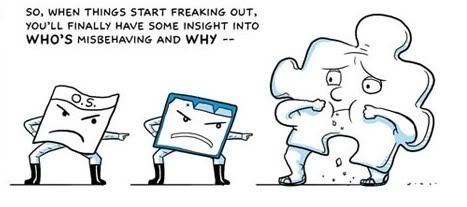
(From the wonderful comic book-style user's guide:)
____
Updated releases of Firefox and Internet Explorer usually have obvious features and display tweaks that let you know you're dealing with something new. Both Firefox 3 and IE8 look different from their predecessors.
The most important new features in Chrome are under the hood, as we'll get to in a while. From the layman's point of view, there are a few interesting though non-revolutionary features.
For instance, you enter web addresses and search terms into the same "omnibox," rather than having a separate box for web searches. Chrome uses "tabs," like most other modern browsers -- but you can drag-and-drop any tab to create its own standalone session. When you start up the browser or open a new tab, it displays thumbnails of your most frequently-visited sites to see if you want to go there. Also, there's an "incognito" mode, if you want to go to a web site but leave no trace in your browser history or in cookies from that site. Google says that this is for people who want to shop secretly for gifts for loved ones. Yes, I'm sure that's the main way it will be used.
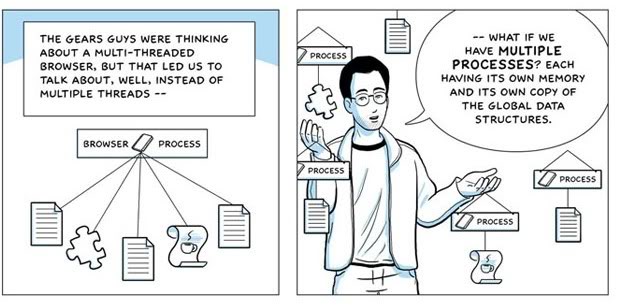
The real significance of Chrome is in its architecture, which I'll discuss later on but whose central point is allowing each browser session to run entirely on its own. For example: if you open multiple windows with Firefox or IE, you'll see (via Task Manager) that more and more of your system's memory is tied up by the browser. If you close some of the windows, that memory is still tied up, until you shut Firefox/IE altogether.** Similarly, a freeze in one Firefox/IE*** session can tie up all browser windows; but in Chrome each session runs on its own.
More later.
____
UPDATE: As advertised, this is not meant to be a full tech rundown of Chrome. My main point is this simple triage judgment: if you like playing around with software, you'll like playing around with
But to address several points I deliberately left out before, but that have come up in reader mail, tied to footnote marks above:
* In theory, you can import all your bookmarks and passwords from your current browser. Importing the bookmarks worked fine for me on Chrome. Importing the passwords was dicier. Many sites requiring a registration -- say, NYTimes.com -- did not recognize me as a "known" user when I first logged on via Chrome, requiring re-entry of all the info.
** As the Chrome Comic Book very clearly explains, the steady increase in memory claims by Firefox and IE is not "supposed" to happen, but it inevitably does, because of the entropy-like process called "memory leak." Check out the comic book -- oops, graphic novel -- for more.
*** The latest beta of IE8 has some similar features designed to isolate processes or freeze-ups in one browser tab from other browser sessions, and to permit "private" browsing that leaves no trace.
All of which may reinforce the main point: check this out if you're a software enthusiast, and don't if you're a civilian.